
 By Arthur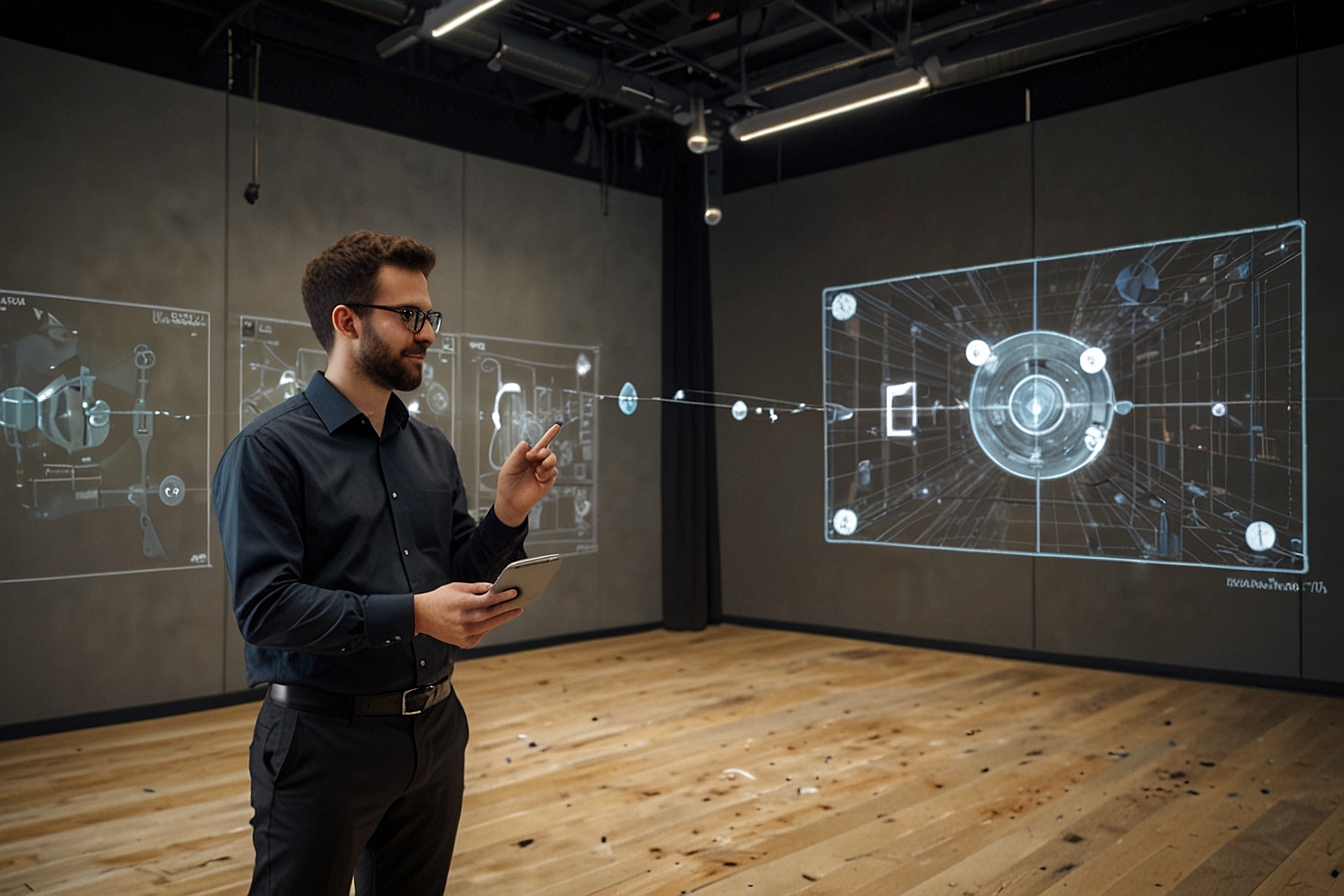
You know that moment when your desk feels too small, your screens too cluttered, and your brain just cannot keep up with the tabs, windows, and endless video calls? Well, picture stepping into a workspace where data hovers around you in three dimensions, teammates appear as life-sized holograms right next to your coffee mug, and complex projects unfold like living models you can literally reach out and touch. That shift is not some distant dream. It is happening right now through spatial productivity computing, and 2026 is the year it goes mainstream.
I have spent the last decade writing about tech that promises to change how we work. Honestly, most of it delivers incremental gains at best. Spatial productivity, though, feels different. It is not just another app or gadget. It redefines the very canvas on which we create, collaborate, and decide. And if you are still glued to flat screens while your competitors experiment with immersive environments, you might be falling behind faster than you realize. Let us unpack exactly how to master this.
- What Exactly Is Spatial Productivity Computing?
- The Core Technologies Driving It in 2026
- How Spatial Productivity Transforms Daily Workflows
- Real-World Benefits: Efficiency Gains You Can Actually Measure
- Top Tools and Platforms Powering Spatial Productivity Today
- A Side-by-Side Comparison: Traditional vs. Spatial Workspaces
- Challenges on the Horizon (and How Smart Teams Are Overcoming Them)
- Getting Started: Your Practical 2026 Roadmap
- FAQ
- Final Thoughts: Why This Might Be the Biggest Productivity Leap Since the Smartphone
Spatial productivity computing takes the familiar idea of “getting things done” and lifts it out of two-dimensional screens into the three-dimensional world around us. At its heart, it uses spatial computing (the broader umbrella term) to blend digital information seamlessly with your physical environment. Think of it as giving your computer eyes, ears, and a sense of space so it can understand where you are, what you are looking at, and how your hands naturally want to interact.
You might not know this, but the concept has roots going back further than most people assume. Early experiments with augmented overlays existed in industrial settings decades ago. Yet only now, with affordable hardware, powerful AI, and mature mixed-reality software, has it become practical for everyday knowledge workers. In simple terms, spatial productivity means your workspace expands beyond the edges of any monitor. You gain an infinite canvas where notes, dashboards, 3D models, and even entire team discussions exist in the air around you.
Three pillars hold this up: augmented reality (AR), virtual reality (VR), and mixed reality (MR). AR layers digital hints onto the real world, like virtual sticky notes on your actual desk. VR creates fully immersive digital spaces where you can walk around inside a project timeline. MR, the sweet spot for most professionals, blends the two so you see both your real office and floating holographic interfaces at the same time.
In 2026, AI acts as the invisible glue. It anticipates what you need next, generates 3D visualizations on the fly, and even translates gestures into commands with uncanny accuracy. Add spatial mapping (the tech that understands the geometry of your room) and you get persistent digital objects that stay exactly where you left them, day after day. No more hunting through folders. Your quarterly report literally sits on the shelf next to your plant.
Let me paint a quick picture from a recent project I consulted on. A design team used to shuttle 2D mockups back and forth via email and clunky review software. Now they step into a shared MR space, walk around a life-sized 3D prototype, point at issues with their hands, and watch changes update instantly. What used to take three days of revisions now happens in one focused hour.
Remote meetings feel entirely different too. Forget grainy Zoom grids. You sit across from colleagues who appear solid and present. You can hand them a virtual document, sketch ideas in mid-air, or pull up data visualizations that everyone examines from their own angles. The result? Fewer misunderstandings and decisions that stick.
Even solo work changes. Multitasking used to mean alt-tabbing between windows. Today it means arranging infinite floating panels wherever your eyes naturally look. Writers spread research notes in a semicircle. Analysts manipulate giant data sculptures. The cognitive load drops because the interface finally matches how our brains actually process information in space.
Numbers do not lie, and the data coming out of early 2026 adopters is impressive. Companies report up to 30 percent faster decision-making when teams review 3D models together instead of flat PDFs. Training programs that once required weeks of classroom time now cut onboarding in half through immersive simulations. Error rates in manufacturing and field service drop noticeably when workers see step-by-step AR overlays directly on the equipment they are fixing.
Collaboration gets the biggest boost. One study I came across tracked distributed engineering teams: those using spatial tools generated 20 percent more ideas per session and reached consensus quicker because everyone could literally point at the same virtual object from different perspectives. You might wonder if these gains come only in flashy industries. They do not. Marketing teams build immersive campaign previews. Finance pros walk through 3D cash-flow models. Even HR uses spatial environments for realistic interview role-plays.
In my experience, the soft benefits matter just as much. People feel more engaged. Remote workers report less isolation. Creativity flows easier when you can physically rearrange concepts in space rather than drag boxes on a slide deck.
2026 offers real choices, not just hype. Here is what stands out:
- Apple Vision Pro remains the premium pick for knowledge workers who want seamless Mac integration and buttery-smooth eye-and-hand tracking. Its infinite Mac Virtual Display turns any room into a multi-monitor powerhouse.
- Meta Quest 3 and its successors deliver the best bang-for-buck mix of VR immersion and passthrough MR. Enterprise versions come loaded with collaboration apps and connect effortlessly to existing Microsoft ecosystems.
- Microsoft Mesh and HoloLens successors shine for heavy industrial or enterprise use, especially when paired with Teams.
- Smart glasses like XREAL or Ray-Ban Meta integrations provide lighter, all-day wear for quick AR glances without full headsets.
- Specialized platforms such as Spatial.io, Gravity Sketch, and emerging AI-native tools let teams build custom 3D workspaces without coding expertise.
The ecosystem has matured. Most major productivity suites (think Office, Figma, Adobe) now ship native spatial versions.
To make the difference crystal clear, here is how the two approaches stack up:
| Aspect | Traditional 2D Setup | Spatial Productivity Computing (2026) |
|---|---|---|
| Screen Real Estate | Limited by monitor size | Infinite 3D canvas; arrange anywhere in your room |
| Collaboration Style | Video calls with screen sharing | Life-sized avatars, shared 3D objects, natural gestures |
| Data Visualization | Charts on flat dashboards | Interactive 3D models you can walk through |
| Training & Onboarding | Lectures and PDFs | Immersive simulations with real-time guidance |
| Multitasking | Alt-tabbing between windows | Glance and gesture between floating panels |
| Cognitive Load | High (context switching) | Lower (spatial memory aligns with human intuition) |
| Typical Productivity Lift | Baseline | 20-50% reported in early enterprise pilots |
Of course, nothing this transformative comes without hurdles. Hardware cost still stings for some budgets, though prices continue to fall. Motion sickness affects a small percentage of users, but newer headsets with better ergonomics and AI comfort adjustments have reduced complaints dramatically. Privacy concerns around always-on cameras and spatial mapping are valid; leading vendors now offer clear on-device processing and enterprise controls.
The biggest barrier is actually cultural. Some teams resist because it feels “weird” at first. The fix? Start small. Pilot one meeting or one design review. Let people experience the difference rather than selling the theory. Training a few champions who then mentor others works wonders.
Ready to dip a toe in? Begin with a lightweight MR headset for virtual meetings. Map your current workflow pain points (too many tabs, poor remote presence, slow feedback loops) and match them to spatial features. Budget for software subscriptions alongside hardware. Most importantly, involve your team early. The technology only shines when everyone buys in.
What is spatial productivity computing in simple terms?
It is the practice of using AR, VR, and mixed reality to create three-dimensional digital workspaces that feel as natural as your physical desk but with far more flexibility and collaboration power.
Does spatial productivity require expensive hardware?
Not necessarily. Entry-level options like the Meta Quest series start well under a thousand dollars and deliver solid results for most professionals. Premium devices like Apple Vision Pro suit power users who need seamless integration with existing Mac workflows.
How much productivity gain can I realistically expect?
Early 2026 case studies show 20 to 50 percent improvements in areas like decision speed, training time, and idea generation, depending on the use case and how deeply your team adopts the tools.
Is spatial productivity only for creative or technical teams?
Absolutely not. Sales, finance, marketing, and even administrative roles benefit from better data visualization, immersive presentations, and more engaging remote meetings.
What about motion sickness or eye strain?
Modern headsets have improved dramatically. Most people adapt within minutes, and software now includes comfort modes and automatic breaks. If issues persist, lighter AR glasses offer a gentler entry point.
How secure is my data in spatial environments?
Leading platforms use on-device processing and enterprise-grade encryption. Just review your organization’s policies the same way you would with any cloud tool.
Will this replace my laptop entirely?
Probably not in 2026. Most users treat spatial setups as powerful extensions that pair beautifully with traditional devices for heavy typing or detailed spreadsheets.
Look, I have watched enough tech hype cycles to stay skeptical. Yet after digging into the 2026 landscape (and trying a few of these systems myself), I am convinced spatial productivity computing is not another flashy distraction. It is a genuine evolution in how humans and computers relate. We finally have interfaces that match the way our brains evolved to navigate the world: in three dimensions, with gesture, gaze, and presence.
Some experts disagree, arguing the learning curve will slow adoption. My take? The teams that experiment early and thoughtfully will pull ahead in ways that compound over time. The rest will eventually catch up, but they will be playing defense.
So here is my question for you: Are you still organizing your ideas on flat screens, or are you ready to step into a workspace that expands with your thinking? The tools are here. The only remaining question is whether you will master spatial productivity before it masters your industry. The choice, as always, is yours.
You may aslo like: Palmon Uvula: The Internet’s Bizarre New Art Muse